The real chat starts now.
With Chatkie you meet your friends in a voice room, let them watch your game with sound, and see who is talking without leaving the game. Free, for Windows.
Download free for WindowsDownload started, three steps to go
- Open the downloaded Chatkie.exe. If Windows warns you, choose More info → Run anyway.
- Click Install and create your account with your email address.
- Open Add friend, copy your link and send it to your friend.
Why does Windows warn? Short explanation
Open this page on your Windows computer and download it there.
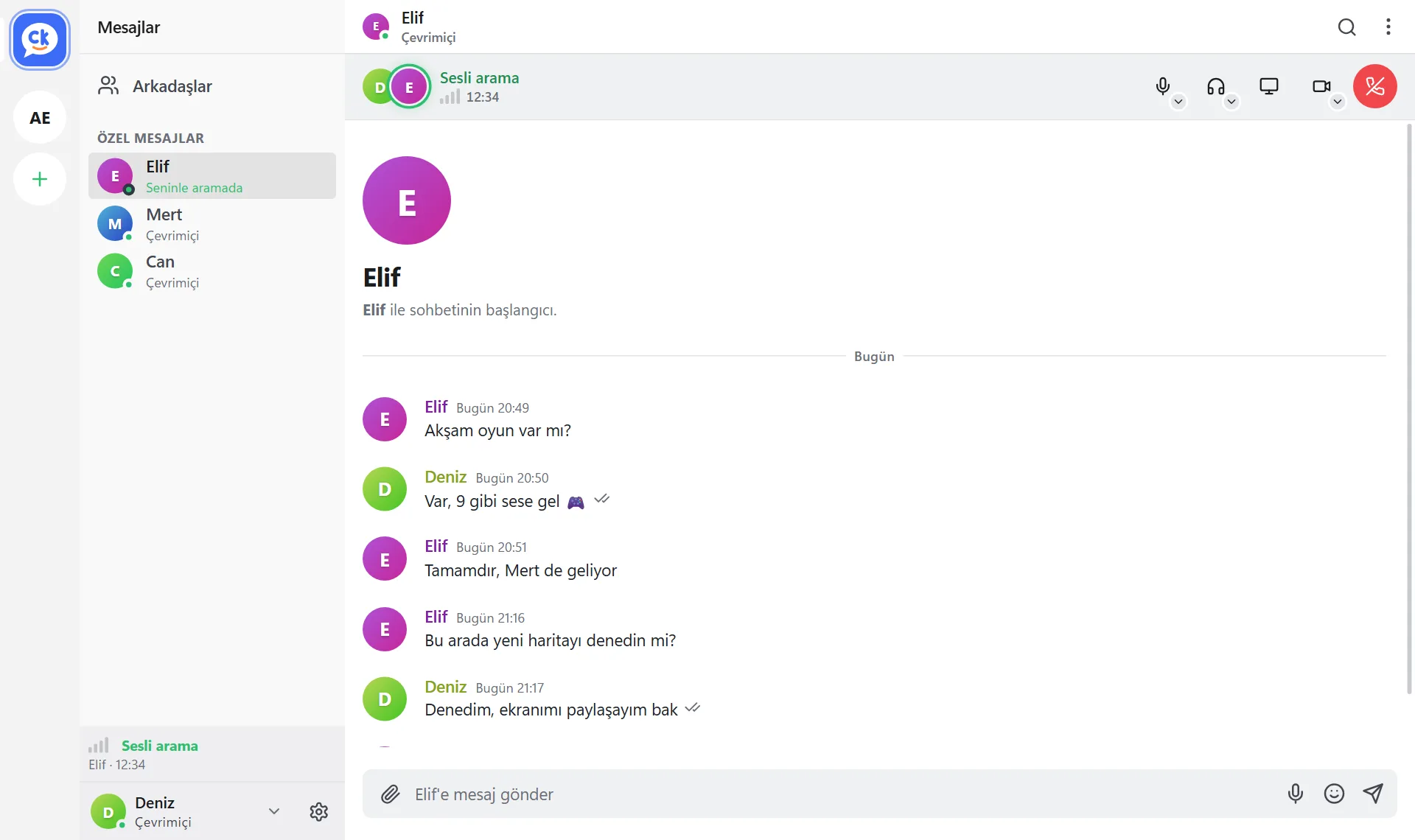
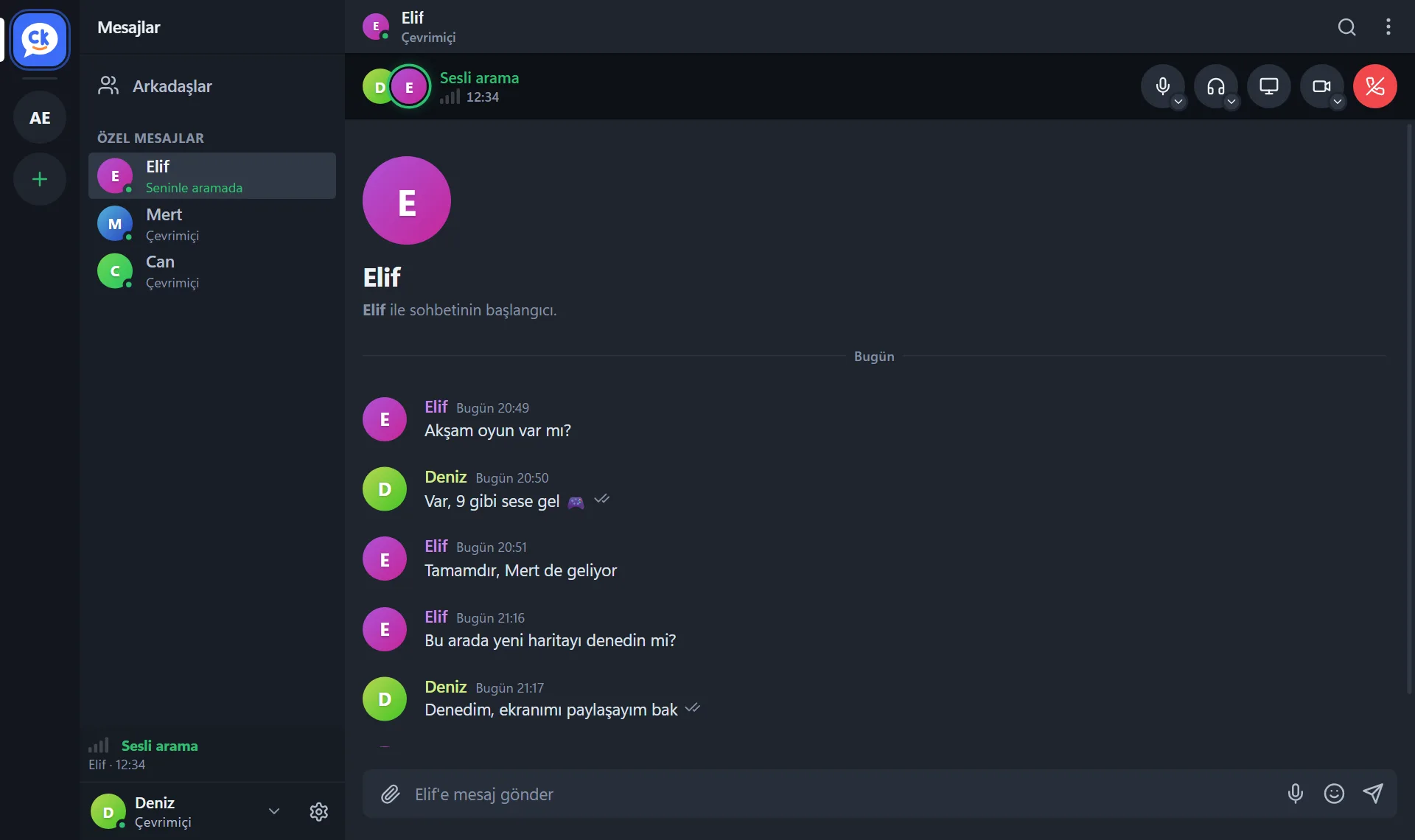
Illustrative image; names and content are examples.
A group chat right in the middle of the fun
Set up your own room to talk, play and hang out. Send the invite link and your friends join in one click.
Make your group chat more fun
Say it your way with GIFs, stickers, emoji and reactions. In voice or in text.
Illustrative image; names and content are examples.
Illustrative image; names and content are examples.
Let friends watch your game, with sound
Share your screen together with the game audio. Friends watch on their own screens; up to 1080p at 60 FPS on the free plan.
Hop in when you are free, no calling needed
Join or leave a voice room any time; you do not have to ring anyone or send an invite. Before the game, during it or after.
Illustrative image; names and content are examples.
Illustrative image; names and content are examples.
See who is around
See at a glance which friends are online, in a game or on a call. You will not walk into an empty room.
See who is talking without leaving the game
The name of whoever is talking appears in the corner of your screen, and new messages show for a few seconds and fade. No Alt+Tab needed.
The overlay is not part of your stream; people watching your screen cannot see it.
Illustrative image; names and content are examples.
Illustrative image; names and content are examples.
Always something to do together
Listen to YouTube music together in the room, share files and GIFs, chat, call each other. All in one place.
Your conversations stay with you
Private messages and voice and video calls go directly between people; the content is not stored on our server. Our server only handles technical data such as your account, connection records and quality measurements. Privacy Policy
On your device
- Your private message history, friend list, profile and settings
On our server
- Your account email address (your password is never sent to the server)
- Room messages: encrypted on your device, the server cannot read them, deleted after 3 days
- Connection records required by law and quality measurements (no content)
There is no secret back door; access to content is only possible on a legal basis such as a court order. This site uses no cookies, tracking or ad tools.
Free for now
Chatkie is free. On the free plan a 30-second Chatkie promo plays every 10 minutes during voice calls; Plus has none. Plus and Team prices are below, sales open soon.
Free
- Messaging, voice and video calls, voice rooms
- Unlimited friends, create up to 3 rooms, 15 channels per room
- Screen sharing at 1080p 60 or 1440p 30 FPS; 3 viewers at a time
- Your stream lightens itself when the PC is under load, so your game stays smooth
- Files up to 25 MB, 720p camera, 50 GIFs and stickers
- Slow mode and word filter in rooms
Chatkie Plus
- Everything in Free, no promo
- Screen sharing at 1440p and 4K 60 FPS (for 1–2 viewers; 1080p with a crowd), 8 viewers at a time
- Files up to 250 MB in private messages, 1080p camera
- Unlimited rooms, 50 channels per room, 100 GIFs and stickers
- Animated profile picture, cover image, badge and all themes
Chatkie Team
- A room that stays open when you are offline
- Large voice chats
- Let many people watch your stream
- Roles and permissions
- Share the cost with the room members
Chatkie Plus and Team are not on sale yet; prices include VAT (Turkey). On Free and Plus, voice chat suits small groups (about 6–8 people); large voice chat will come with Team.
Frequently asked questions
What is Chatkie?
Chatkie is a voice room, calling and chat app for you and your gaming friends. It runs on Windows 10 and 11 and is free; on the free plan a 30-second Chatkie promo plays every 10 minutes during voice calls. You meet friends in a voice room, let them watch your game with sound through screen sharing, and keep chatting. The app interface is currently in Turkish only.
Is Chatkie free?
Yes. The free plan has no friend limit; it includes messaging, voice and video calls, voice rooms, screen sharing at 1080p 60 or 1440p 30 FPS, files up to 25 MB and up to 3 rooms. Chatkie Plus, with higher-quality streaming and bigger files, costs 249.99 TL per month (VAT included) or 2,999.99 TL per year; sales open soon.
Does my friend need to install Chatkie too?
Yes. To talk, your friend also needs to install Chatkie on their own Windows computer and create an account. Then they only need to click the link you send them on their computer.
How many people can talk in a voice room at once?
Voice chat suits small groups of friends, around 6–8 people. Because audio goes directly between people, larger groups can struggle. Large voice chats will come with the Chatkie Team plan.
Why do I need an account?
The account ties your Chatkie identity to your email address: when you change computers, the key your friends use to recognise you moves to the new one. Your password is never sent to the server.
Windows says "Windows protected your PC". Is it safe?
Chatkie is a new app and does not have a code-signing certificate yet; Windows shows this warning for publishers it does not know. Download the file only from this site and choose More info → Run anyway. Some antivirus programs may also flag a new unsigned program as suspicious by mistake; if you are unsure, write to us before installing. To check that the file you downloaded has not been changed, compare its SHA-256:Loading…
How do I install and uninstall it?
Open the downloaded file and click Install in the setup window. To remove it, go to Windows Settings → Apps → Chatkie → Uninstall. You are asked separately about your messages and settings.
System requirements and updates
You need 64-bit Windows 10 (version 2004 or later) or Windows 11, a microphone and an internet connection; Chatkie runs on Windows computers only. It finds new versions itself, verifies their signature and replaces itself on exit; a file with a bad signature is not installed.
How do I add a friend?
In the app open Add friend, copy your own link and send it to your friend, or paste theirs. You do not need to memorise a number or a username.
How do I report a user or content?
Right-click the message or use the menu in the chat header and choose Report. If you block someone, they cannot reach you. Reports about child safety get priority. In an emergency call 112 (Turkey); you can also report illegal content at ihbarweb.org.tr.
One tiny file, installed in seconds
Download a single file; no administrator rights needed. Create your account, open your room, send your link.
Download free for Windows